Nikola Brežnjak blog - Tackling software development with a dose of humor
  • Home
  • Daily Thoughts
  • Ionic
  • Stack Overflow
  • Books
  • About me
Home
Daily Thoughts
Ionic
Stack Overflow
Books
About me
  • Home
  • Daily Thoughts
  • Ionic
  • Stack Overflow
  • Books
  • About me
Nikola Brežnjak blog - Tackling software development with a dose of humor
Quick tips

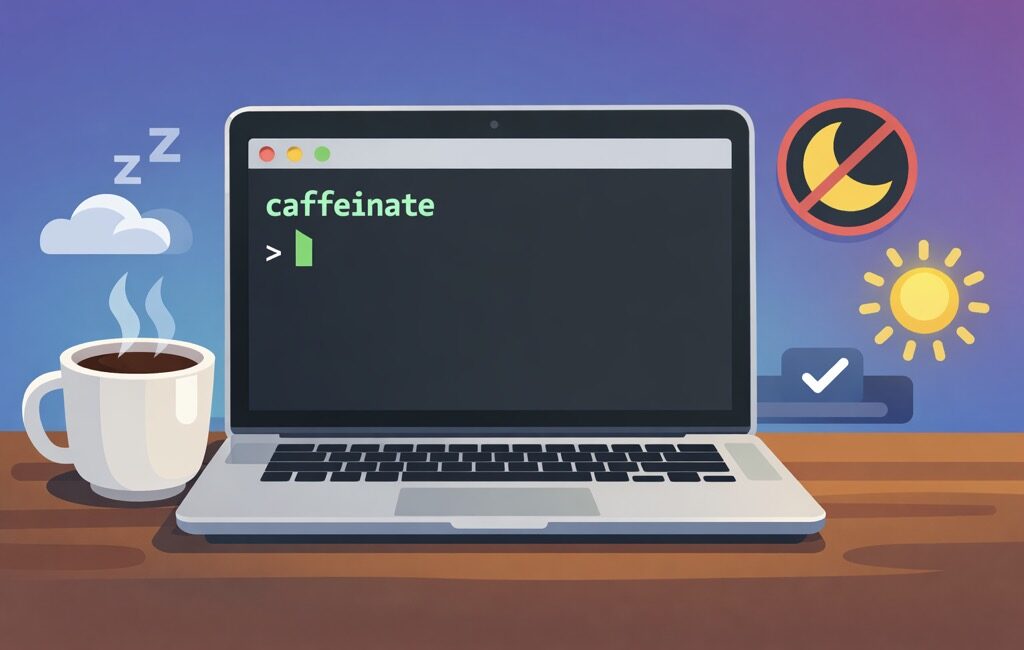
Caffeinate your Mac to prevent it from sleeping

TL;DR

I’ll show you how to use macOS’s built-in caffeinate command to keep your Mac awake:

  • until you stop it
  • for a set amount of time, or
  • only while a long-running command is executing

No additional apps that you need to install, no menu bar junk, no "why is my Mac sleeping again?!" drama.

Why you’d care about caffeinate

If you’ve ever kicked off a long download, rsync backup, Docker build, video export, or "I’ll just run this migration quickly" job… and then came back to find your Mac politely sleeping like an innocent kitten — you already know why this matters.

macOS has an official tool for this, and it’s been sitting right under your nose:

caffeinate

It’s basically the Terminal equivalent of "No, macOS, we are not done here."

Option #0: The simplest possible usage

Open Terminal and run:

caffeinate

That’s it. Your Mac won’t go idle-sleep as long as this process is running.

To stop it press Ctrl + C

Option #1: Keep the Mac awake for a fixed amount of time

Sometimes you just want to keep your Mac awake for 2 hours (and keep that Slack icon 🟢 hey, I don’t judge), and then you’d pass in the -t parameter (which indicates seconds):

caffeinate -t 7200

That’s 2 hours (60 60 2 = 7200). Yes, we still count seconds like it’s 1999.

A few common ones:

  • 30 minutes: 1800
  • 1 hour: 3600
  • 2 hours: 7200
  • 4 hours: 14400

Option #2: Keep the display awake as well

If for some reason you want to prevent your display from dimming, use the -d switch:

caffeinate -d

Option #3: The best trick — keep Mac awake only while a command runs

This is the chef’s kiss use case; instead of running caffeinate separately, wrap your long-running command with it:

caffeinate -i your_command_here

Example: big rsync backup:

caffeinate -i rsync -av ~/Pictures/ /Volumes/Backup/Pictures/

Example: long npm build:

caffeinate -i npm run build

Example: running tests that take forever because you’re "testing thoroughly" (and definitely not because of that one integration suite):

caffeinate -i ./run-tests.sh

When your command finishes, caffeinate stops automatically. No cleanup required. No "wait, did I leave it running overnight?" paranoia.

Option #4: Run caffeinate in the background

If you want to keep your Terminal usable:

caffeinate -d -i &

That & sends it to the background.

Want to see it?

ps aux | grep caffeinate

Want to stop it?

Option A: bring it back to foreground and stop:

fg

then hit Ctrl + C

Option B: kill it by PID (you’ll see PID in the ps output):

kill <PID>

Handy flag cheat sheet

Here’s the "print this on a sticky note" version:

  • Keep system awake until stopped:

    caffeinate
  • Keep awake for 1 hour:

    caffeinate -t 3600
  • Keep display awake:

    caffeinate -d
  • Keep awake while a command runs:

    caffeinate -i 
  • Display + system, background:

    caffeinate -d -i &

Bonus: a tiny alias (because typing is hard)

If you find yourself using it often, add this to your ~/.zshrc (or ~/.bashrc):

alias awake='caffeinate -d -i'

Reload:

source ~/.zshrc

Now you can do:

awake rsync -av ~/Stuff/ /Volumes/Backup/Stuff/

And voilà — your Mac stays awake, your command runs, and you look like you totally planned it this way.

Hope this was useful, and see you next time 💪

VibeCoding

Vibe Coding a Pokémon Search App with Cursor

TL;DR

We’re going to build a Pokémon search app. But we’re not going to write even one line of code.

🤨

I know, coming from a developer (who used to take pride in what… we’ll call "handcrafted artisanal code"), this sounds like heresy.

But stay with me here and see how far these kind of tools have come in only the last year.

We’ll be building the app using the so-called vibe coding. Basically: you "talk" to the editor, the editor writes the code, and you navigate aka prompt it toward the final product (that you’ll be happy with 🤞).

Programmers/Coders/Engineers – we’ve always liked to tell/instruct computers what to do. That’s still true, only the syntax got… conversational 🙂

Who would’ve thought 🤷‍♂️

~ Nikola Brežnjak on X

In my previous post, I did this with Replit: Vibe Coding a Pokémon Search App with Replit.

This time we’ll do the same thing, step-by-step, but with Cursor.

Same app. Same flow. Different tool. More "local dev" vibes (yup, puns still need some work).

The Tools

In this post, we’ll be using Cursor: https://www.cursor.com/.

Cursor is a code editor (much like Visual Studio Code – VSC – actually, its fork, in Github terms), but with an AI Agent that can plan and implement changes across your codebase. It’s like pair-programming… except your pair doesn’t need bathroom breaks.

For bonus points, we won’t even type anything. Instead, we’ll use our voice to code (🤯, I know) with *WisprFlow (or alternatives like SuperWhisper / VoiceTypr).

The Old Ways™

Previously, I wrote the "classic" (may I say, "old" at this point?) tutorials building the same app with two different tech stacks:

  • Getting started with Vue.js 3 by building a Pokemon search application
  • Getting started with React by building a Pokemon search application

This one is different.

Same Pokémon search app.

Less typing.

More vibes (😂 I know, I know).

Let’s Start Prompting

If you want to follow along:

  1. (Download, Install) Open Cursor
  2. Create a new empty folder (e.g. pokemon-cursor)
  3. Open that folder in Cursor
  4. Open the "AI chat" pane (Command + i) and make sure you select the Plan mode

Pro tip: copy/paste these and adapt in case you’re feeling adventurous.

Prompt 1: Spec first, code later

First of all, always start with a plan before writing any code.

In the Replit post, I started with a simple prompt and then clicked Replit’s Improve prompt button.

I like that "improved" prompt better as:

  • it’s more specific about what the app should do (less back-and-forth)
  • it includes UI style guidance (so you don’t get "default HTML 2003 vibes")
  • it forces a PRD + checklist (so you can hold the AI accountable)

So… let’s use that improved prompt here too 👇

Paste this into Cursor (Plan mode):

A comprehensive web-based Pokémon search application that allows users to discover and view detailed information about Pokémon using the PokéAPI.

Core Features:

  • Search Pokémon by name or ID (bonus: autocomplete suggestions if it’s simple)
  • Display detailed Pokémon information (stats, types, abilities, sprites)
  • Browse Pokémon list with pagination (if it makes sense; keep it simple)
  • Responsive design that works on mobile and desktop devices

Visual References:

Inspired by the official Pokémon website and Pokédex interfaces, using vibrant, game-accurate designs and intuitive card-based layouts.

Style Guide:

  • Colors: Primary #FFCB05 (Pokémon yellow), Secondary #3D7DCA (Pokémon blue), Accent #CC0000 (Pokémon red), Text #2A2A2A (dark grey), Card Background #FFFFFF (white)
  • Design: Flexo/Poppins/Roboto fonts, card-based grid layout, mobile-first approach, clean search interface with prominent search bar

Special Requirements:

  • Must include a detailed PRD (Product Requirement Document) covering user stories, UI layout, components, state management, API endpoints, error/loading states, accessibility considerations, folder structure, and a deployment plan for GitHub Pages
  • Provide a numbered implementation checklist after the PRD
  • DO NOT include actual code implementation — documentation and planning only

You can leave the Auto for Model, but lately I’ve been defaulting to Opus 4.5. Then, just hit ENTER or click the button with the arrow pointing up (↑).

Answer the questions

Since we didn’t define the actual tech stack, Cursor will ask us which stack we want (language + CSS framework):

I chose Vue.js and Tailwind CSS.

Build the plan

Select Build to start creating the PRD and the implementation checklist.

Review the prompt

Cursor will create a seriously detailed PRD. I won’t paste it here fully, but will mention that mine included sections like:

# PokéSearch - Product Requirements Document

1. Project Overview
2. User Stories
3. UI Layout and Wireframes
4. Component Architecture
5. State Management
6. API Endpoints
7. Loading and Error States
8. Accessibility Considerations
9. Style Guide Implementation
10. Folder Structure
11. GitHub Pages Deployment Plan
12. Implementation Checklist

Also, Cursor created a detailed implementation checklist (sharing just sections that it covered below):

Phase 1: Project Setup
Phase 2: API Layer
Phase 3: Core Components
Phase 4: Detail View
Phase 5: Search Integration
Phase 6: Polish and Accessibility
Phase 7: Testing and Quality
Phase 8: Deployment
Final Checklist
Bonus Features (Optional)

Start cooking

Before you do ‘start cooking’, I really encourage you to read through the PRD and see if:

  • it describes a simple UI
  • it mentions loading + error states
  • it keeps state management simple
  • the folder structure looks reasonable
  • it mentions GitHub Pages deployment

If something looks off, just tell Cursor what you want. And, once you’re happy, move on.

OK, now we start cooking 🧑‍🍳

Let’s now tell Cursor to implement the project by following the PRD and the Checklist it created:

Implement the product described in @PRD.md by executing @IMPLEMENTATION_CHECKLIST.md end-to-end.

Rules:
- Treat @PRD.md as source of truth. If checklist conflicts, call it out and follow PRD.
- Work in small, reviewable commits (or clearly separated change blocks) per checklist section.
- After each section, run/tests/build locally and paste results. Fix issues before moving on.
- Keep the solution minimal and maintainable. No over-engineering.
- Update docs and TODOs as you go; leave the repo in a “ship-ready” state.

Deliverables:
- All checklist items completed (explicitly mark each as done with a short note).
- A final summary: what was implemented, how to run, how to test, and any known gaps (should be none).
Start now.

Finally, send that prompt to Cursor (make sure you have Agent mode selected).

⚠️ You would most likely get a good final output if you wouldn’t use such a detailed prompt. Something like "Implement the @PRD" would most likely suffice. But, as with anything, treat this like a craft and go an extra mile (test multiple prompts and see what works best for you).

TL;DR: a bit more structure and detail in the prompt goes a long way.

Now we wait… ⏳

Here’s where Cursor does the ‘actual work’ of:

  • creating files
  • installing dependencies
  • wiring up the UI
  • calling PokéAPI
  • and fixing the inevitable "oops, that didn’t run" moments

Yes, it can do all of that. No, it doesn’t always do it perfectly, and that’s why you’re here 😅

Meaning, it will ask you for permission to run certain commands (npm install, npm run dev, …). You can choose to whitelist the commands so it won’t ask your permission about running them again (do thread lightly here though, and actually read which commands it wants to run).

As it’ll be doing its thing, you’ll be able to follow along and read what it is all that it’s doing. I know, looking at someone else doing your job, gives you a weird feeling. 😅

Done

When Cursor is done, you’ll see a detailed message of what it did, including the section on running it and deploying to Github:

### How to Run

```bash
# Install dependencies
npm install

# Development server
npm run dev

# Production build
npm run build

# Preview production build
npm run preview

Preview

In the Replit version, preview was built into the web UI.

With Cursor, we’re running locally on our machine — so the "Preview" step is simply:

  • run the commands it told you, or just tell Cursor to run the app (yes, literally, write "run the app")

In my case, the URL was http://localhost:4173/PokemonSearch/ and it looks like this:

I’ll be frank and say that I liked the Replit output better (see here: https://pokedex-nikolabreznjak.replit.app/), but you can get to that as well by additional prompting.

I asked Cursor to let's now add a nice landing page to it., and it came up with this:

Not bad for a terrible prompt 🙈

Publish and share

Replit had a "Publish now" button.

Here, we’ll just ask Cursor to tell us how to deploy to Github Pages.

It said:

# Initialize git (if not already)
git init

# Add all files
git add .

# Commit
git commit -m "Initial commit: PokéSearch app"

# Create repo on GitHub, then add remote
git remote add origin https://github.com/YOUR_USERNAME/YOUR_PROJECT_NAME.git

# Push to master
git push -u origin master

Only thing you have to change in the commands above is the Github username, and the project’s name.

As a step 2, you have to:

Go to your repository on GitHub
Click Settings → Pages (left sidebar)
Under "Build and deployment":
Source: Select GitHub Actions
That's it! The workflow will trigger automatically

You can now run the workflow manually in the Actions tab on Github, or push some code changes and it will trigger automatically.

Once deployed, your app is going to be available at: https://YOUR_USERNAME.github.io/YOUR_PROJECT_NAME/

In my case, you can check it out here: https://NikolaBreznjak.github.io/PokemonSearchCursor/

Conclusion: the future is now!?

Here’s the uncomfortable truth: those who still treat AI coding tools as "cheating" or "not there yet" are losing out. If not on shipping MVPs faster, then on getting up to speed on unfamiliar codebases, and learning faster in general.

⚠️ And this last part is something I want to emphasise: if you "just" vibe code and have absolutelly no idea how the thing YOU built works (and have no desire to learn), then you’re missing the point.

Instead, you’ve got an amazing oportunity that the devs in the past didn’t have: you can ask the tool to tell you "how does this code work". And, you can ask all the questions without the fear of showing your lack of knowledge.

And, if you’re worried about quality (valid!), you don’t have to YOLO it. Do this instead:

  1. Tell the model: Explain what you intend to do without writing any code
  2. Make it produce a long spec document (architecture, edge cases, test plan).
  3. Iterate on that doc until it’s legit
  4. Then say something along the lines of: Now, iplement this spec perfectly

I would have never dreamed that the hottest new programming language will be [insertLanguageHere]. I say it like that because, technically, you could write in your language and some (most?) of the tools would understand you. If not, you can throw it in a ChatGPT (or any similar tool) for translation and then feed it translated into the AI tool.

No, the world won’t make the devs extinct, but it surely will enable a lot of non-devs to create things that make actual money. It’s your choice if you want to watch from the sidelines or get in on the action and see how it can help you – maybe now’s the time to do that project you ‘never had the time for’.

I’m cheering for you, good luck!

Disclaimer

Links prepended with a * are referral links.

If you enjoy the content and decide to sign up through those links, you’ll be helping me feed my caffeine addiction ☕️

Thanks a bunch, you glorious human! 🙌

New achievement

You made it to the end, here’s a 🎖️

P.S. In case you were wondering, the style has been recently influenced by a book series called *Dungeon Crawler Carl.

Enjoy! 👋

VibeCoding

Vibe Coding a Pokémon Search App with Replit

TL;DR

We’re going to build a Pokémon search app. But we’re not going to write even one line of code.

🤨

I know, coming from a developer (who used to take pride in what he wrote by his bare hands), it sounds blasphemous, but stay with me here and see how far these kind of tools have come in only the last year.

We’ll be building the app by so-called vibe coding. Basically, you describe what you want using plain English, and the AI tool does the heavy lifting. You steer it by reviewing, re-prompting, and guiding to the final product (that you’ll be happy with 🤞).

The Tools

In this post, we’ll be using *Replit, and in the future ones we’ll tackle a few others like Cursor (post here) and Claude Code.

For bonus points, we won’t even type anything. Instead, we’ll use a tool like *WhisprFlow, or some similar ones like SuperWhisper, VoiceTypr (I know, what’s up with naming products by dropping wowels 🤷‍♂️).

The Old Ways™

Previously, I wrote the "classic" (may I say, "old" at this point?) tutorials building the same app with two different tech stacks:

  • Getting started with Vue.js 3 by building a Pokemon search application
  • Getting started with React by building a Pokemon search application

This one is different. Same Pokémon search app. Less typing. More vibes (😂 I know, my puns are terrible).

Let’s Start Prompting

If you want to follow along, create an account over at *Replit.

Pro tip: copy/paste these and adapt in case you’re feeling adventurous.

Prompt 1: Spec first, code later

First of all, always start with a plan before writing any code. This was TheWayToDoIt™ back in ‘normal’ development, and it’s no different in vibe coding either. Make sure to select the Plan mode in Replit as shown below:

and add the following prompt:

"Our task is to build a Pokémon search web app. Before writing any code, produce a detailed PRD (product requirement document) (pages, components, state, API calls, error states, loading states, accessibility, folder structure, and a deployment plan for GitHub Pages).
After the PRD, list a numbered implementation checklist.
Do NOT write code yet."

If you want, you can click the improve prompt button (I did) and you’ll get your prompt improved to something like:

A comprehensive web-based Pokémon search application that allows users to search and view detailed information about Pokémon using the PokéAPI.

Core Features:

  • Search Pokémon by name or ID with autocomplete suggestions
  • Display detailed Pokémon information (stats, types, abilities, sprites)
  • Browse and filter Pokémon list with pagination
  • Responsive design that works on mobile and desktop devices

Visual References:
Inspired by the official Pokémon website and Pokédex interfaces, known for their vibrant, game-accurate designs and intuitive card-based layouts.

Style Guide:

  • Colors: Primary #FFCB05 (Pokémon yellow), Secondary #3D7DCA (Pokémon blue), Accent #FF0000 (Pokéball red), Background #F8F8F8 (light grey), Text #2A2A2A (dark grey), Card Background #FFFFFF (white)
  • Design: Flexo/Poppins/Roboto fonts, card-based grid layout, rounded corners (12px radius), smooth transitions, responsive design with mobile-first approach, clean search interface with prominent search bar

Special Requirements:

  • Must include a detailed PRD (Product Requirement Document) covering: pages, components, state management, API calls, error states, loading states, accessibility considerations, folder structure, and deployment plan for GitHub Pages
  • Provide a numbered implementation checklist after the PRD
  • DO NOT include actual code implementation – documentation and planning only

That’s a much better prompt than what I came up with 😬, so let’s use that. At this point you can tweak the plan if you want.

A few options

You can select how ‘autonomous’ you want the agent to act (High is fine in this case), and you can choose to select App testing as that will make sure that it resolves any obvious bugs that may pop up.

After you’re happy with the selection, click the Start building button.

Now we wait… ⏳

In my case, it took Replit 21 minutes to finish everything (IMO, takes longer when you select the App testing), and it spent $7.27. Let’s see what we got for that Frapuchino priced Starbucks cofee…

Preview

A cool thing I like about Replit is that they have everything integrated in their web interface (they have a mobile app, but we won’t dig into that now). And by everything, I mean everything: database, auth, secrets, domain purchasing, wiring up with Stripe, you name it.

Of all these cool things, they also have the Preview pane, where you can, well, preview your app as it’s being built.

This is what it came up with for me:

Publish and share

To publish your work ‘online’ so that you can share it with others you need to:

  • choose the (sub)domain: _I went with pokedex-nikolabreznjak.replit
  • click on the Publish now button

And, there you go, app will be accessible via (in my case): https://pokedex-nikolabreznjak.replit.app/.

Conclusion: the future is now!?

Here’s the uncomfortable truth: those who still treat AI coding tools as "cheating" or "not there yet" are losing out. If not on shipping MVPs faster, then on getting up to speed on unfamiliar codebases, and learning faster in general.

⚠️ And this last part is something I want to emphasise: if you "just" vibe code and have absolutelly no idea how the thing YOU built works (and have no desire to learn), then you’re missing the point.

Instead, you’ve got an amazing oportunity that the devs in the past didn’t have: you can ask the tool to tell you "how does this code work". And, you can ask all the questions without the fear of showing your lack of knowledge.

And, if you’re worried about quality (valid!), you don’t have to YOLO it. Do this instead:

  1. Tell the model: Explain what you intend to do without writing any code
  2. Make it produce a long spec document (architecture, edge cases, test plan).
  3. Iterate on that doc until it’s legit
  4. Then say something along the lines of: Now, iplement this spec perfectly

I would have never dreamed that the hottest new programming language will be [insertLanguageHere]. I say it like that because, technically, you could write in your language and some (most?) of the tools would understand you. If not, you can throw it in a ChatGPT (or any similar tool) for translation and then feed it translated into the AI tool.

No, the world won’t make the devs extinct, but it surely will enable a lot of non-devs to create things that make actual money. It’s your choice if you want to watch from the sidelines or get in on the action and see how it can help you – maybe now’s the time to do that project you ‘never had the time for’.

I’m cheering for you, good luck!

Disclaimer

Links prepended with a * are referral links.

If you enjoy the content and decide to sign up through those links, you’ll be helping me feed my caffeine addiction ☕️

Thanks a bunch, you glorious human! 🙌

New achievement

You made it to the end, here’s a 🎖️

P.S. In case you were wondering, the style has been recently influenced by the amazingly refreshing litRPG book series called *Dungeon Crawler Carl.

Enjoy! 👋

Miscellaneou$

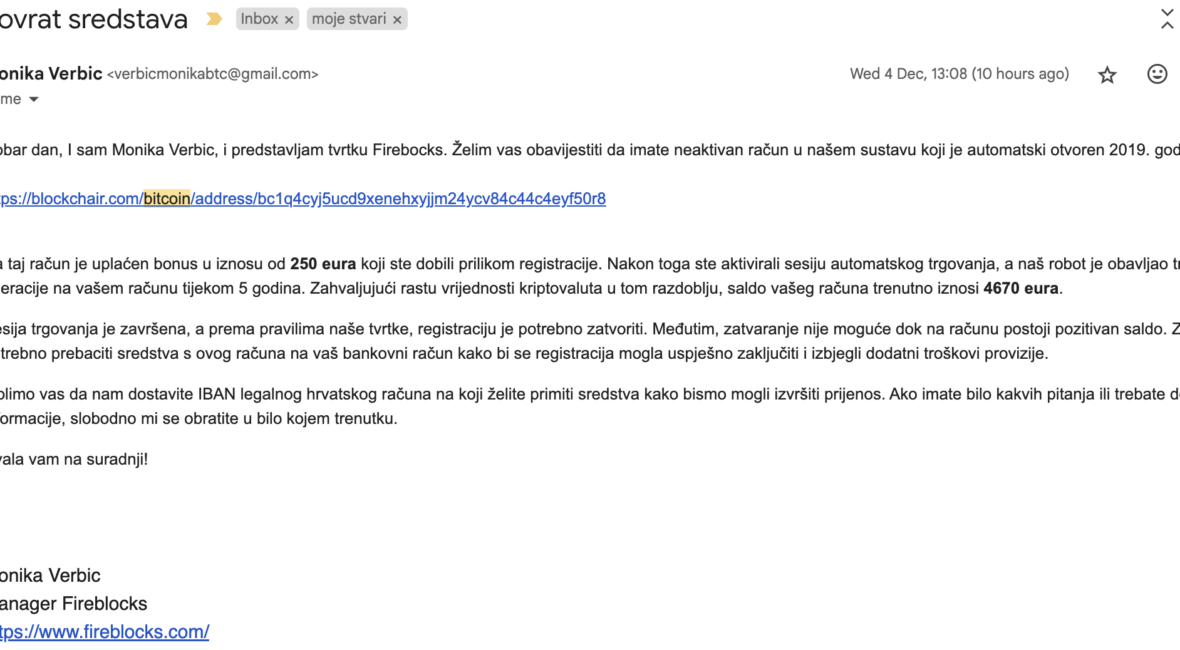
SendGrid Phishing Scam Attempts

TL;DR

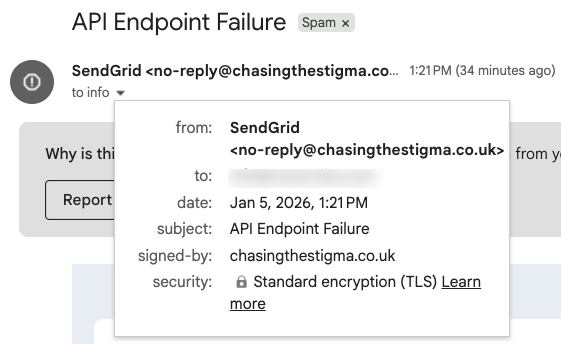
Over the past few days I started getting a bunch of weird error emails in my inbox from, what seemed to be, SendGrid. The subjects all looked technical; things like “API Endpoint Failure” or “messages are not processing via /v1/send”. Enough to make any developer raise an eyebrow 🤨

What’s going on is simple: some mail servers seem to have been compromised over the holidays and a bunch of not-so-nice people are sending phishing emails posing as SendGrid.

Now, if you’re not using SendGrid, you’d probably ignore them right away.

However, the goal is to get you to click a link that leads to a page that looks exactly like the real SendGrid login — and if you’re not careful, enter your real credentials (which they’ll happily store for future use 😅).

What makes this unusual is that Google hasn’t flagged these as spam yet, so be wary.

What You Should Do

  • Don’t click any links in the message.
  • Mark the message as spam or phishing in your email client.
  • If you do use the service, open your dashboard manually and check logs rather than clicking through the email.

Examples

Here are just some examples, so you can get an idea of what to look for. One common sign is that the email claims to be from SendGrid, but the domain in the “signed-by” field is something you’ve never heard of.


Conclusion

Remember, always, always, always check the actual From in an email if it looks remotely shady.

Stay safe!

Miscellaneou$

Retrospective Questions

TL;DR

Here’s a very long list of retrospective questions which, if used wisely and seldomly (at least twice per year; at most monthly), can help you spot patterns and behaviors you may want to address.

As a pro tip, get a notebook where you’ll be answering all these questions. Yeah, I know, probably a better idea nowadays would be to store it digitally and then feed it into ChatGPT for some conclusions, but there’s still something with actually writing stuff down by hand (you can still OCR it if your writing is readable 🙂).

Anyways, hope this proves to be useful on your improvement path 💪

Disclaimer: I’m not the author of these questions. But, for the life of me, I can’t remember where I got these from (yes, I Googled and ChatGPT-ed). If you do, please ping me an I’ll update the post.

The Questions™

  1. Who am I?
  2. Am I living the life I want? Why yes or why no?
  3. If I had 1 year to live, what would I do?
  4. If I had 1 month to live, what would I do?
  5. If I had 1 week to live, what would I do?
  6. If I had 1 day to live, what would I do?
  7. If I had 1 hour to live, what would I do?
  8. If I had 1 minute to live, what would I do?
  9. What would I regret the most if I died right now?
  10. What advice would I give to myself 3 years ago?
  11. What advice would I give to myself 1 year ago?
  12. What advice would I give to myself 1 month ago?
  13. What advice would I give to myself 1 week ago?
  14. What had to be done yesterday, and I didn’t do it?
  15. What do I want to achieve until the end of my life?
  16. What do I want to achieve in 5 years?
  17. What do I want to achieve in 3 years?
  18. What do I want to achieve in 1 year?
  19. What do I want to stay remembered for?
  20. Why are these things important to me?
  21. What is stopping me and how can I achieve them?
  22. Do I know people that achieved similar goals?
  23. What opportunities am I seeing in my environment, and how can I use them?
  24. Have my recent activities brought me closer to my goals?
  25. What do I need to do in the next week to get closer to completing my goals?
  26. What’s my biggest priority for next week?
  27. What will I do about it?
  28. What can I do so that the following week will be less stressful?
  29. What was I avoiding to do, and it had to be done?
  30. What prevented me from doing that?
  31. What were my wins in the last week?
  32. What did I learn in the last week?
  33. What moment was unforgettable in the last week and why?
  34. What am I grateful for?
  35. Do I love my self, and why?
  36. What is the one thing I could do for free till the rest of my life?
  37. Do I like what I do, or am I at least trying to make it work?
  38. What’s my biggest fear? How can I overcome it?
  39. Who are the 5 people that I spend the most time with?
  40. Do these people motivate or limit me?
  41. Who inspires/motivates me the most currently? Why?
  42. Who’s the most important person in my life, and have I dedicated her/him enough of my time?
  43. Who am I going to dedicate the time in the next week?
  44. Who deserves my gratitude this week?
  45. How, whom and why can I help?
  46. Have I dedicated enough time to myself?
  47. Which habits should I keep on enforcing?
  48. Which habits should I get rid of?
  49. What was the time sink last week?
  50. Is this what I do today be important in 1 year?
  51. Is this what I do today be important in 3 years?
  52. Is this what I do today be important in 5 years?
  53. What can I simplify in my life?
  54. What can I delegate in the next week and to whom?
  55. If life is so short, why do we do so many things we don’t like and like so many things we’re not doing?
  56. When all’s said and done, will you have the feeling that you said more than did?
  57. If the average human life span would be 40 years – how would you live your life?
  58. How much of your life’s path are you controlling?
  59. If you could offer one advice to the newborn (presuming it could understand you I guess), what would it be?
  60. Who would you like to have as a mentor in your life? How can you get to this person?
  61. Is there something you didn’t do, and you really want to do it? What’s stopping you?
  62. What would I do if I had no limits in terms of money, time and resources?
  63. If you had to move to a different country, what would it be?
  64. Would you rather be a worried genius or a happy fool?
  65. Are you the sort of friend you’d like to have?
  66. Has your greatest fear ever come true?
  67. Do you remember a time 5 years ago when you were really stressed about something – is this important today?
  68. If you win a lottery would you quit your job and why?
  69. Do you feel like you’ve lived today’s day 100 times?
  70. If I had a million $, what would I do and why?
  71. If everyone you know would die tomorrow, who would you visit today?
  72. Would you be willing to lower your life expectancy for 10 years in an exchange for being extremely pretty and famous?
  73. Where did you live primarily in the past week? In the past, present or future?
  74. If I had more guts, willing to take any risk, what would I do?
  75. Decisions are made here and now. Are you making your decisions or are they being made for you?
  76. What’s the purpose of my life?
  77. What will I do right now so that I would live a life with purpose?
  78. Is the current work I do meaningful for me?
  79. Is this job going to give me a chance to develop?
  80. Am I going to learn new things?
  81. Will I have the opportunity for recognition and achievement?
  82. Am I going to be given responsibility?

Dude, this is too much

If these feel too much, it’s because they should. Improvement doesn’t come from thinking about your life for 2 minutes. Nor 20 (although a great step up from 2, or worse yet: 0). It usually takes me about an hour and a half to go through these and write them down. YMMV.

However, since you won’t be going through the whole list weekly, here are a few to ask yourself on a weekly basis (ideally when you prep your next weeks’ agenda):

  1. What’s my biggest priority for next week?
  2. What will I do about it?
  3. What can I do so that the following week will be less stressful?

Protip: work on that biggest thing (as Brian Tracy says: eat that frog!) first thing in the morning!

Conclusion

Really, there’s not much to say here other than to challenge you to do it and see if it moves the needle for you in your life. Good luck!

Quick tips

When espanso Breaks on Long Replacement Strings (and How to Fix It)

When espanso Breaks on Long Replacement Strings (and How to Fix It)

Hey friends 👋

Today’s post is a quick one, but it might save you from a few head scratches and keyboard punches if you’re an espanso user who’s been wondering why your juicy long replacement snippets randomly just… don’t show up.

If you’re wondering what Espanso is, check this blog post: Espanso: Because Who Actually Likes Typing Out Their Emails?

TL;DR ☕

  • Long replacement strings (>100 chars) can silently break in espanso
  • This is due to the default clipboard_threshold config
  • You can fix it by setting a higher threshold in default.yml

!TL;DR ☕

If you came for the story, here we go: so, here’s what I ran into…

The Problem: Long Replacements Just Break 🧨

I’ve been using espanso for a while now (it’s a neat little open-source text expander that makes typing repetitive stuff a breeze). All was fine and dandy—until I tried adding a longer replacement string, something like:

- trigger: ":some-long-snippet"
  replace: "Dear passangers, we have good news and bad news. Good news is we are landing. Bad news is we are crash landing!"

And poof—nothing. The replacement just didn’t happen. What’s even worse, it would usually trigger the command prompt in editors (similar to pressing CMD + k or CMD + p).

At first, I thought it was something I’d messed up in the syntax. I double-checked, triple-checked… nope, looked fine.

Then I started wondering if maybe the issue was platform-specific. I’m running the newest version on a up2date Mac. Thought it was some weird key combo or something – but, no.

So yeah, turns out…

There’s a Hardcoded Limit (But You Can Fix It!) 🛠️

After digging around a bit—and with a helpful tip from a fellow redditor—I discovered that espanso has a clipboard_threshold setting buried in the default.yml config file (located at ~/.config/espanso/default.yml).

And it looks like this:

# clipboard_threshold: 100

Yep, it was commented out by default.

So what’s this do? If your replacement string is longer than the threshold (default is 100 characters), espanso silently fails to insert it. No warning. No logs. Nada.


The Fix: Increase the Clipboard Threshold 🙌

To fix this, all you need to do is:

  1. Open your ~/.config/espanso/default.yml
  2. Uncomment or add the clipboard_threshold setting
  3. Set it to something higher, like 500:
clipboard_threshold: 500
  1. Save the file and reload espanso (if it doesn’t reload automatically)
espanso restart

And voilà, your long replacements now work like a charm 🎉

Conclusion

If you’ve hit this issue too, I hope this saves you some time. And if you’re just diving into espanso, maybe take this as a reminder to skim the config docs sooner rather than later 😅

Happy expanding!

Miscellaneou$

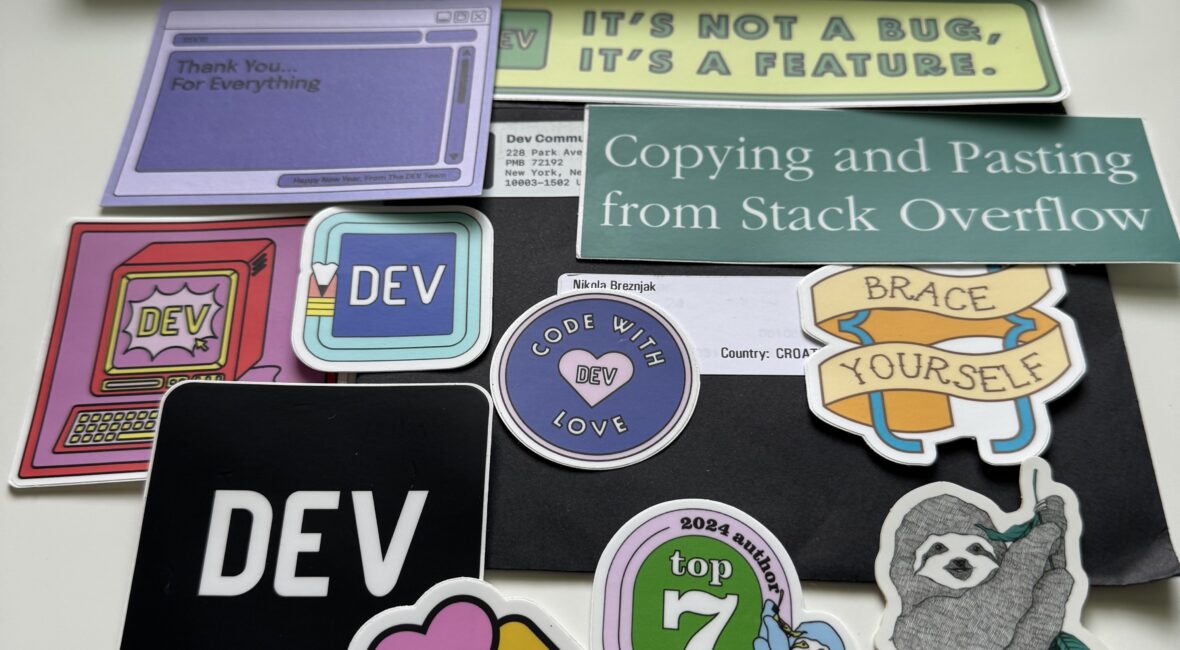
2024 Top Author on dev.to

…was pleasantly surprised to receive this in the mail today. Yes, snail mail 🙂

Thanks to dev.to for being thoughtful.

The post that got me the top author award was: Getting started with React by building a Pokemon search application

Happy Saturday!

Daily Thoughts

Hara hachi bun me

"Hara hachi bun me", a Japanese concept which means "Eat until you’re 80% full". While intuitive, it’s sad that one needs to be reminded of it.

Daily Thoughts

Discipline is also a talent

Those who say talent doesn’t matter are liars.

Those who stop at talent are failures.

Federer said it best:

Yes, talent matters. I’m not going to stand here and tell you it doesn’t.
But talent has a broad definition.
Most of the time, it’s not about having a gift. It’s about having grit. In tennis, like in life, discipline is also a talent. And so is patience.
Trusting yourself is a talent. Embracing the process—loving the process—is a talent. Managing your life, managing yourself.
These can be talents, too. Some people are born with them. Everybody has to work at them.

Daily Thoughts

Play for the fun of it

Isn’t it interesting that we often make our best score when we’re not trying to make the best score?

However, there’s something to be said about the fact that you play as you practice.

So, practice well and deliberately.

Once you do, you’ll see it’s not fun. Well, not all the time, at least. But, it has to be done once you enter the level of 1 percenters.

Why? Because only that will enable you to ‘just do’, and not ‘think’.

It’s a job, you say!? Welcome to the real world of professional X (where x is any profession) 😉

Page 1 of 521234»102030...Last »

Recent posts

  • Caffeinate your Mac to prevent it from sleeping
  • Vibe Coding a Pokémon Search App with Cursor
  • Vibe Coding a Pokémon Search App with Replit
  • SendGrid Phishing Scam Attempts
  • Retrospective Questions

Categories

  • Android (3)
  • Books (114)
    • Programming (22)
  • CodeProject (36)
  • Daily Thoughts (78)
  • Go (3)
  • iOS (5)
  • JavaScript (128)
    • Angular (4)
    • Angular 2 (3)
    • Ionic (61)
    • Ionic2 (2)
    • Ionic3 (8)
    • MEAN (3)
    • NodeJS (27)
    • Phaser (1)
    • React (1)
    • Three.js (1)
    • Vue.js (3)
  • Leadership (1)
  • Meetups (8)
  • Miscellaneou$ (80)
    • Breaking News (8)
    • CodeSchool (2)
    • Hacker Games (3)
    • Pluralsight (7)
    • Projects (2)
    • Sublime Text (2)
  • PHP (6)
  • Quick tips (42)
  • Servers (8)
    • Heroku (1)
    • Linux (3)
  • Stack Overflow (81)
  • Unity3D (9)
  • VibeCoding (2)
  • Windows (8)
    • C# (2)
    • WPF (3)
  • Wordpress (2)

"There's no short-term solution for a long-term result." ~ Greg Plitt

"Everything around you that you call life was made up by people that were no smarter than you." ~ S. Jobs

"Hard work beats talent when talent doesn't work hard." ~ Tim Notke

© since 2016 - Nikola Brežnjak